
Anyone Ready to Move On From an Old Tattoo
Upload the tattoo you want gone, describe what should replace it, and instantly preview realistic cover up tattoo ideas - all before booking a single appointment.
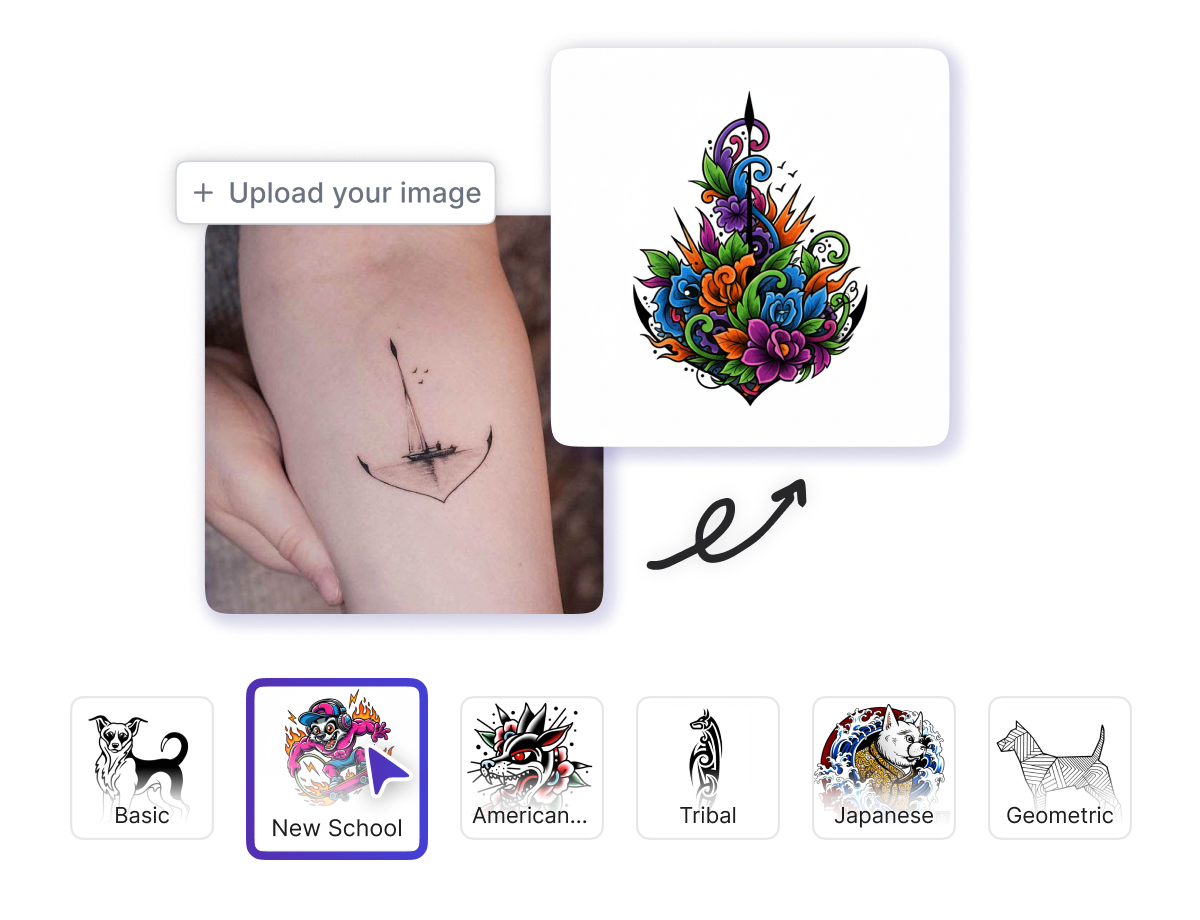
Tattoo Cover Up is a free AI tool that lets you upload a photo of the tattoo you want to hide, describe your new design, choose a style, and instantly generate high-quality cover up tattoo ideas with one click. No design skills needed - just upload, customize, and create.
 Pro
Pro Whether you want to hide an old name, a faded piece, or a design you have outgrown, Tattoo Cover Up helps you visualize a fresh start first.
Upload the tattoo you want gone, describe what should replace it, and instantly preview realistic cover up tattoo ideas - all before booking a single appointment.

Artists upload client cover up photos, generate multiple design directions in seconds, and present polished cover up tattoo patterns to clients without lengthy manual sketching sessions.

From ex name tattoo cover ups to faded pieces, clients describe what they want over the old ink and instantly see name cover up tattoo designs that actually fit their skin.
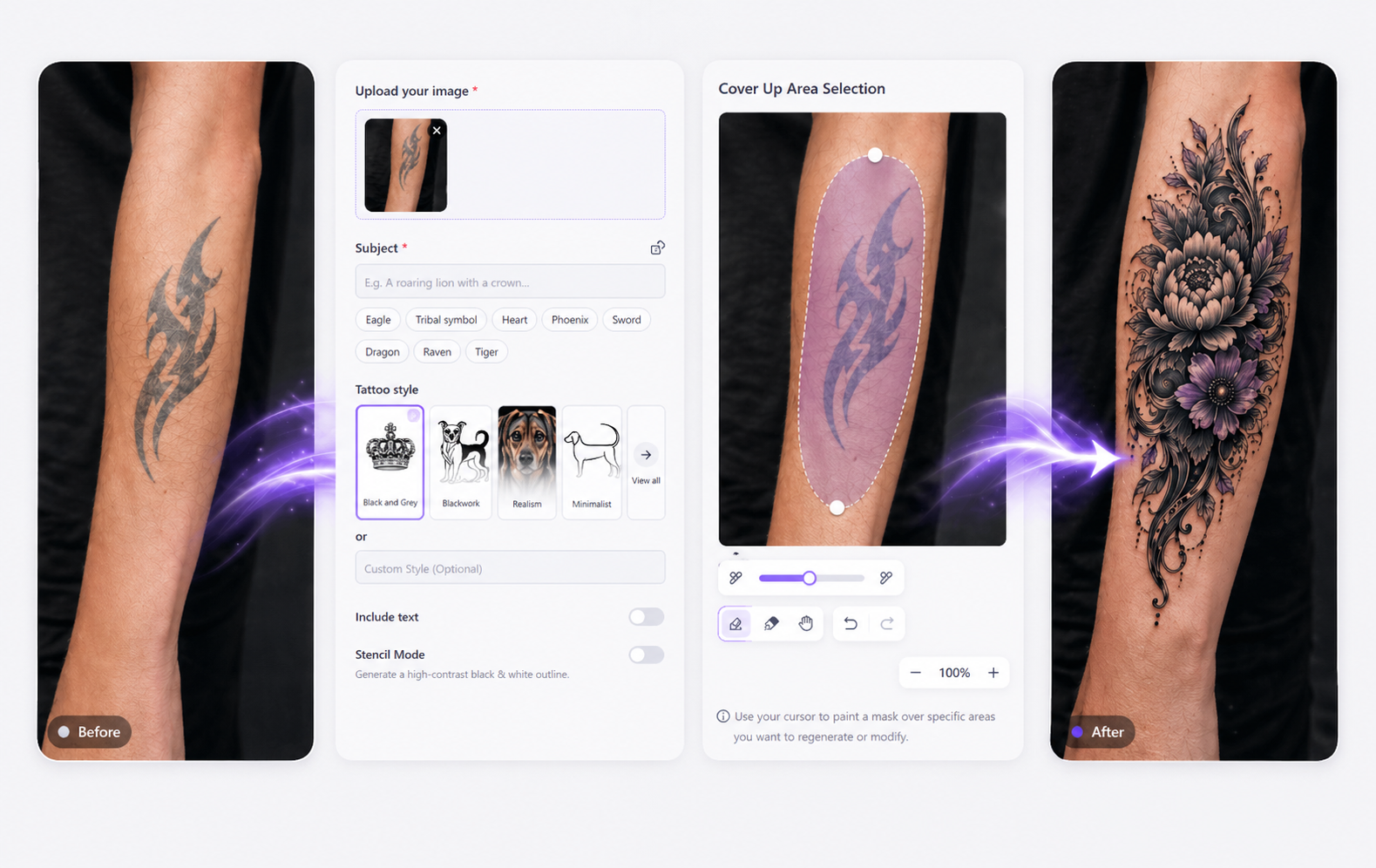
Tattoo Cover Up is a free online AI tool that lets you upload a photo of the tattoo you want to conceal, choose or define a style, describe the new design in your own words, decide whether to include text, and generate a clean black-and-white stencil or full design - all in one click with no design experience, software knowledge, or technical skill required.
Create your dream birth flower tattoos with AI in seconds. You don’t need any design skills or to hire a professional designer. With our free online AI Birth Flower Tattoo Generator, you can effortlessly create beautiful and unique tattoo designs that truly represent you.
Open Tattoo Cover Up and upload a clear photo of the tattoo you want covered.
Type what you want the cover up to look like, pick a style, and toggle text or line art options.
Click once to generate, then download a watermark-free, high-quality cover up design file.
Every feature in Tattoo Cover Up is built to give you full control over what goes over your old ink - from style to output format.
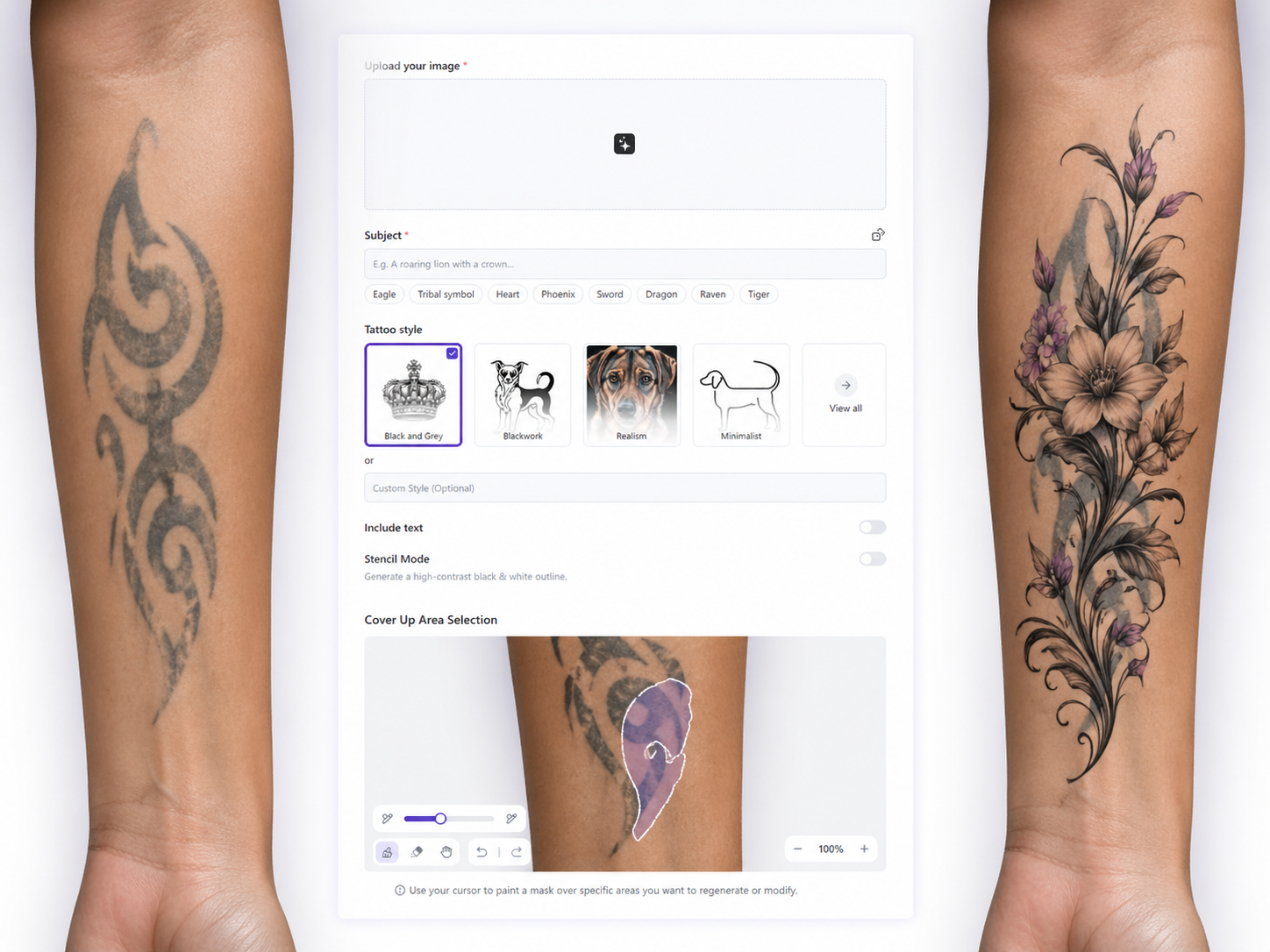
Upload your existing tattoo photo, click once, and let the AI instantly generate clean, high-contrast cover up tattoo ideas that are sized and styled to work over your actual ink.
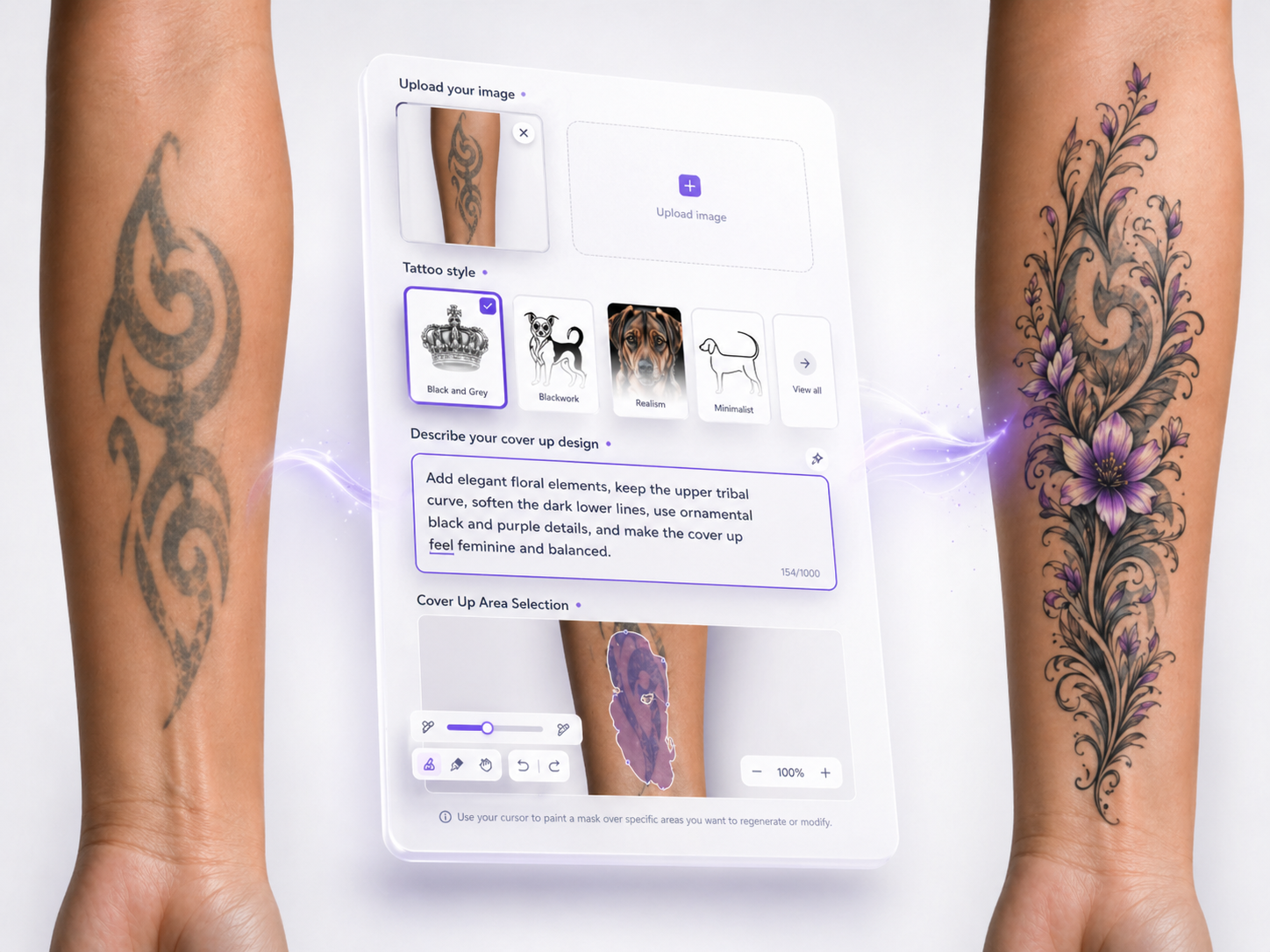
Type exactly what you want the new tattoo to look like - theme, elements, mood - so the AI generates cover up tattoo patterns that match your vision rather than guessing for you.
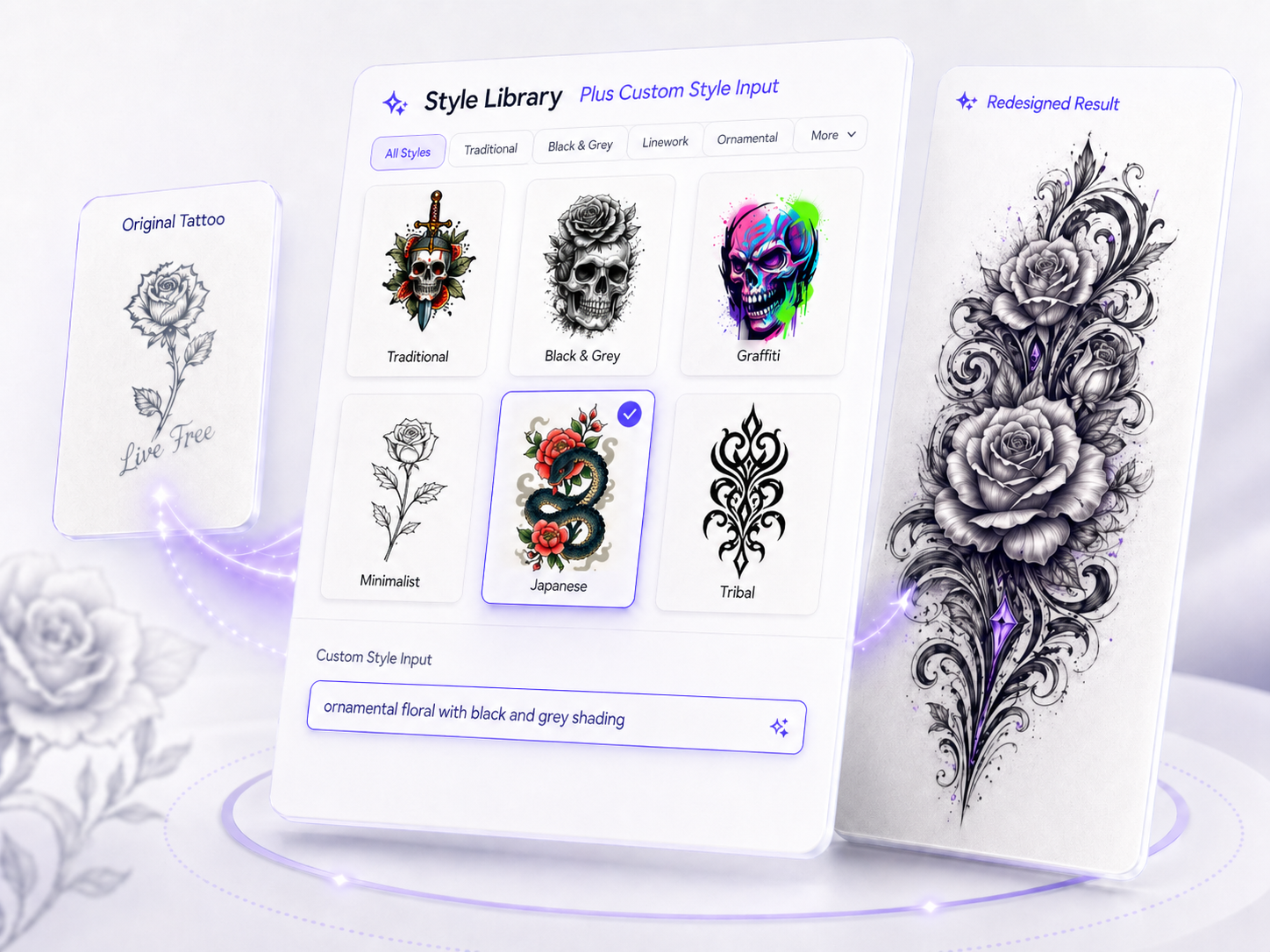
Browse curated tattoo styles from traditional and blackwork to floral and geometric, or define your own custom style to generate easy cover up tattoo designs that feel uniquely yours.
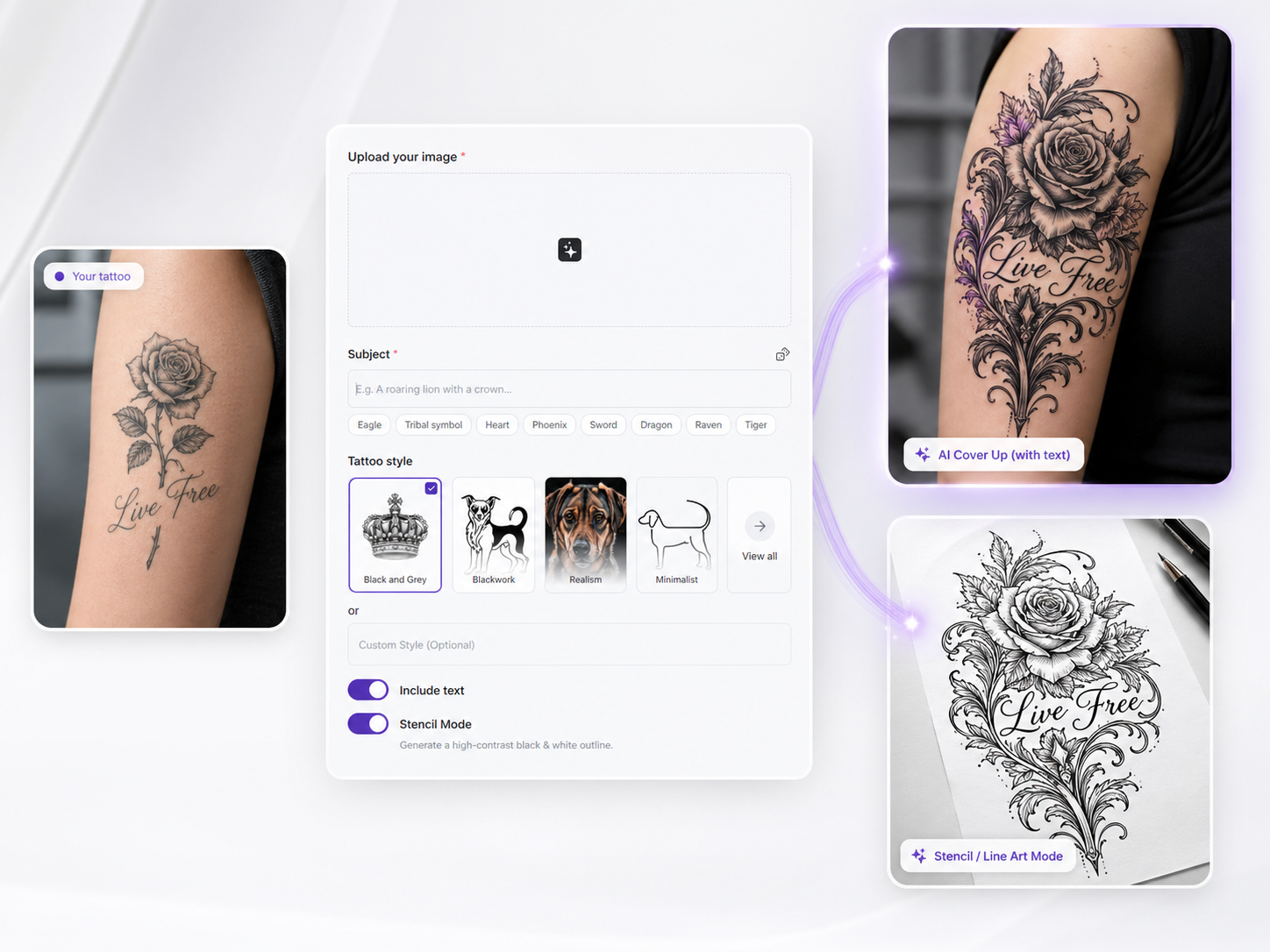
Choose whether your cover up includes lettering and switch to a clean black-and-white stencil output - perfect for artists who need a ready-to-transfer cover up tattoo line art file.

Cover up consultations used to be the most time-consuming sessions in my studio - clients would come in with an old tattoo they hated and no clear idea of what should replace it. With Tattoo Cover Up, I upload the photo, type a quick description of the direction they are leaning toward, and generate several cover up tattoo ideas right in front of them. Seeing realistic options on top of their actual tattoo shape changes everything about the conversation. Clients decide faster, feel more confident going into the session, and the final design always feels like something they genuinely chose rather than settled for.
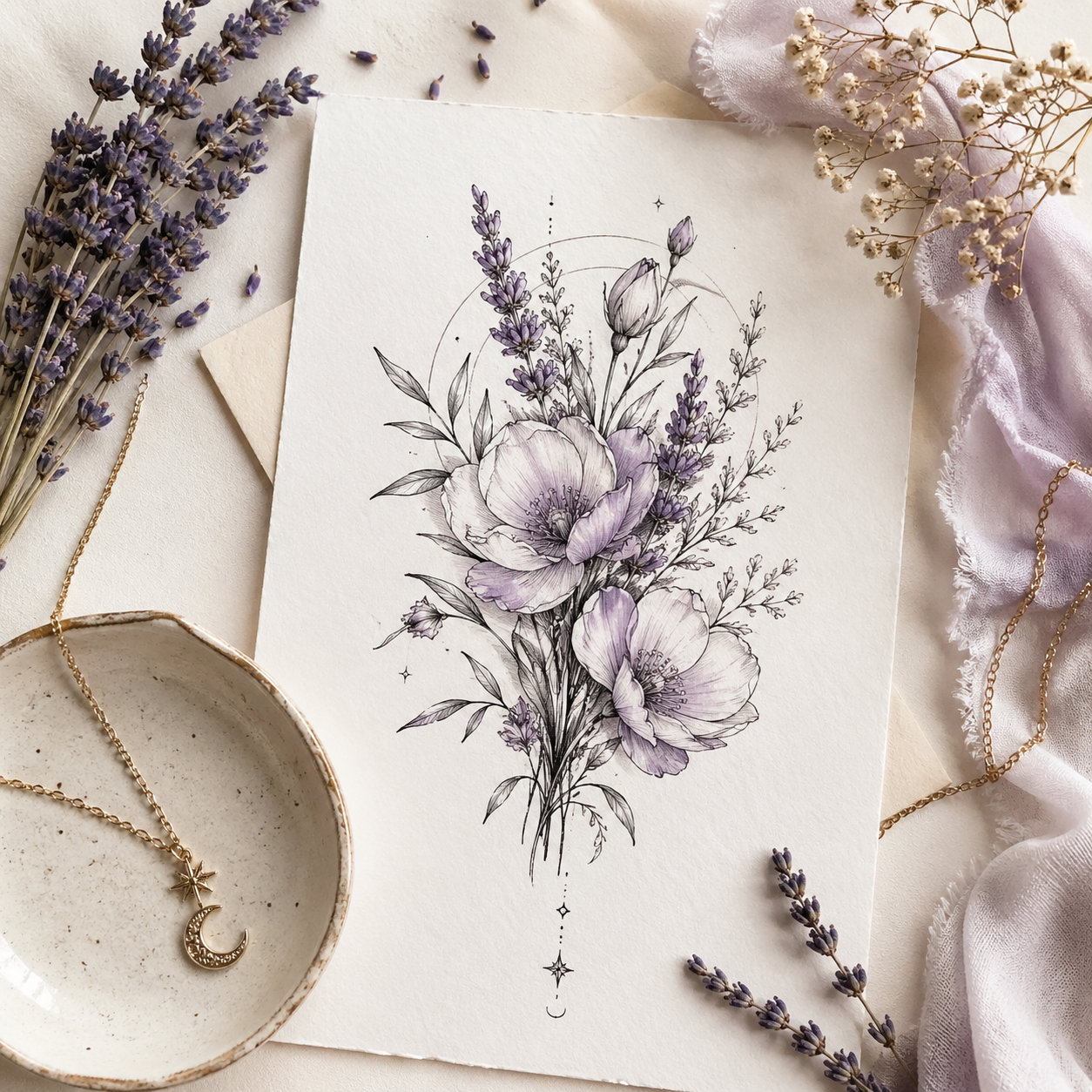
I had an ex name tattoo cover up on my mind for years but never knew where to start or what design could actually hide it well. I uploaded a photo of the tattoo, typed a short description of the floral pattern I had always imagined over it, and let the AI show me what name cover up tattoo designs could realistically look like on my wrist. Within minutes I had three clean options to compare, all styled the way I wanted, with no watermarks and sharp enough to print. I sent the best one to my artist and we booked the session the same week. It went from something I dreaded to something I was genuinely looking forward to.
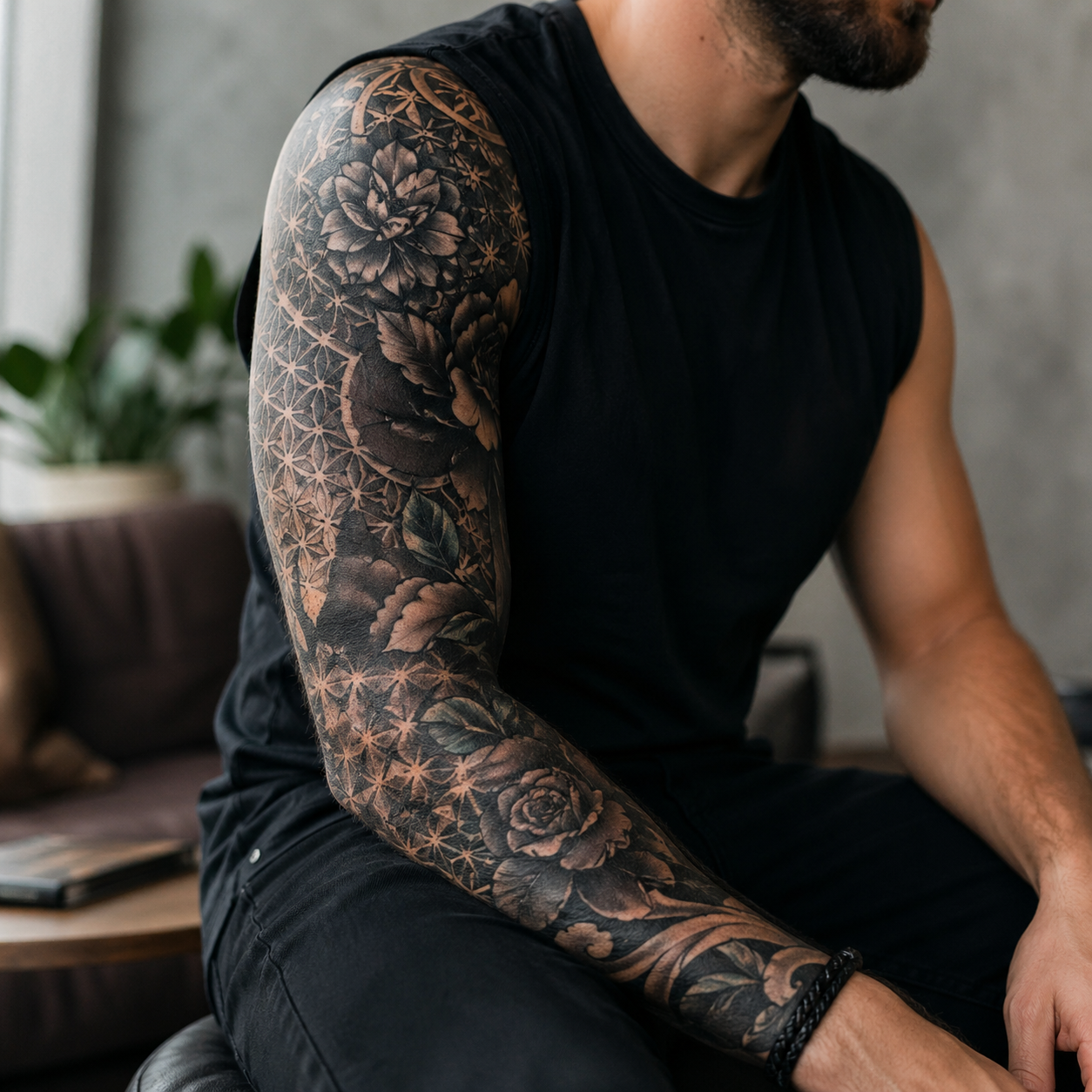
I had a collection of old tattoos across my arm that no longer represented who I was, and I wanted to unify them into a full cover up sleeve. Before committing to anything, I used Tattoo Cover Up to upload photos of each piece and generate cover up tattoo patterns that could work across the whole arm. I tried different styles - blackwork, geometric, and a custom dark floral style I described myself - and compared how each one read against my existing ink. The black-and-white line art mode was especially useful for showing my artist exactly which version I wanted to go with. Having that level of clarity before the first session saved us both a huge amount of time.
No. Upload your tattoo photo, type what you want to replace it with, and the AI generates cover up ideas without requiring design experience.
A free mode covers core generation features with some usage limits. Paid plans unlock higher resolution exports and heavier studio usage.
Yes. Upload the name tattoo photo, describe the replacement design, and the AI generates cover-up directions sized to conceal the existing lettering.
Yes. Continue in the dashboard and turn on line-art style output to generate a cleaner stencil-like file for artist review.
Free exports include a watermark and standard quality. Paid options provide watermark-free, high-resolution files suitable for printing.